Saturday, October 30, 2010

How to Jailbreak Iphone 4, iPad and iPod touch 4G

I've been looking for a iphone 4(and Ipod touch 4g) Jailbreak for a while now and finally I'm happy to announce the latest jailbreak!
There are two ways for the jailbreak...

Limera1n


The first and currently successful method is Limera1n (pronounced lime-rain). This is very similar to jailbreaking iPhone 3g using blackra1n. This also works with iPad.

1. First go to Limera1n.com
2. Next download the respective jailbreaker for PC or Mac. (the symbol is a big giveaway ;-) 
3. After you download limera1n right click and select run as administator. 
4. Now connect your iphone or ipod touch. If itunes pops up just close it. 
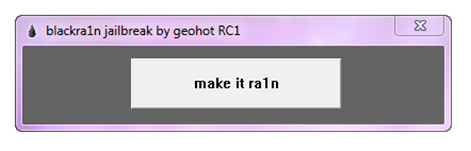
5. Next click make it rain in Limera1n. 

6. Now your iPhone/iPod screen will display the limera1n icon which is a green drop. 


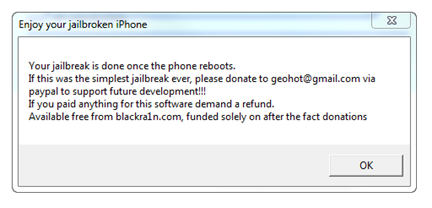
7. After a while your iPhone or iPod will reboot. It doesn't matter if iTunes pops up now. 
8. Now you are JAILBROKE. Enjoy free apps and unlimited customization. See what you can do with your jailbroken device here.


JailbreakMe


This is an indevice jaibreak which doesn't need a computer. Just visit JailbreakMe.com on your iPod or iPhone. If you see the following screen just slide the screen to jailbreak.


However I would Highly recommend if you use Limera1n because it is more reliable and confirmed to work. JailbreakMe had several issues for while.

That's it! So if you have any questions at all don't hesitate to ask below in the comments section...

How to Jailbreak Iphone 4, iPad and iPod touch 4G

I've been looking for a iphone 4(and Ipod touch 4g) Jailbreak for a while now and finally I'm happy to announce the latest jailbreak!
There are two ways for the jailbreak...

Limera1n


The first and currently successful method is Limera1n (pronounced lime-rain). This is very similar to jailbreaking iPhone 3g using blackra1n. This also works with iPad.

  1. First go to Limera1n.com
  2. Next download the respective jailbreaker for PC or Mac. (the symbol is a big giveaway ;-) 
  3. After you download limera1n right click and select run as administator. 
  4. Now connect your iphone or ipod touch. If itunes pops up just close it. 
  5. Next click make it rain in Limera1n. 
  6. Now your iPhone/iPod screen will display the limera1n icon which is a green drop. 
  7. After a while your iPhone or iPod will reboot. It doesn't matter if iTunes pops up now. 
  8. Now you are JAILBROKE. Enjoy free apps and unlimited customization. See what you can do with your jailbroken device here
JailbreakMe


This is an indevice jaibreak which doesn't need a computer. Just visit JailbreakMe.com on your iPod or iPhone. If you see the following screen just slide the screen to jailbreak.

Sunday, February 21, 2010

Track Your iPhone if you lose it...


How sad would it be if you spend a lot of money on your iPhone and just lose it. But how cool would it be track your iPhone if it gets lost or even worse, stolen! This is how...

All you have to do is register for Apple's MobileMe service. They offer a free trial for 60 days and after that you have to pay $99 for each year. I know it's pretty expensive, but what would you choose, to lose your $500 iPhone or just keep track of it by paying 99 bucks a year. Plus MobileMe has other facilities like syncing your stuff wherever you go.


After you register enable Find My iPhone in MobileMe settings on your phone. Turn ON push in your iPhone's settings.

Now you are ready to lose your iPhone.

If you lose your iPhone log on to your MobileMe account and go to the account tab and click on settings. Then choose find my iPhone. If your iPhone is connected to 3G or EDGE (in short internet) a blue circle will show your iPhone in the map. Now you've seen where your iPhone is.

Now you can send a message to your iPhone asking the person to return it to you. Check the box to play a sound and send it.
Now what's amazing is the message will show on the iPhone even if the screen is locked and the sound will go on even if it is in silent mode.


If you can't find you're iPhone or the other person is not cooperative use remote wipe to remove all apps, messages, contacts (your personal stuff). Click remote wipe below the map and check the box and click Erase All Data. Your iPhone will be reset to factory settings.

Want to get a free iPhone or a netbook. Click here

Search for more assistance

Thursday, February 4, 2010

Pros and cons of jailbreaking your iPod


You can do a lot of stuff if you jailbreak your iPod or iPhone. But is it really worth it? Here we have listed some of the main advantages and disadvantages of jailbreaking...

Pros / Advantages

1. There are many apps and games that you can download for free for your iPod/ iPhone if it is jailbroken.

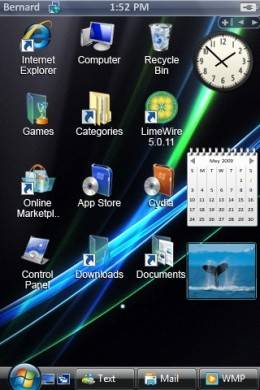
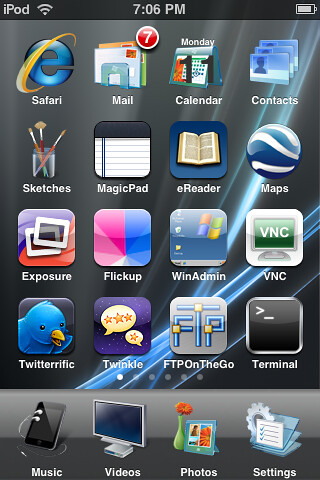
2. You can change your iPod to look the way you want to by changing themes and backgrounds.

  • Desktop/ SMS background
            

                   This app creates a background for your iPod/iPhone.
  • WinterBoard


       As you can see WinterBoard is a cool app that can change your iPhone's theme completely. 


3. Improving ipod/iphone to perform tasks that would have been impossible if it weren't jailbroken.

  • SBSettings


            These are two screenshots of SBSettings where you can configure your iPhone's settings while your doing what you were doing. All you have to do is swipe the top bar and these settings come up. You can turn off WiFi or Bluetooth to save battery. 

4. Although this might not interest most of you, it breaks the rules set in your iPod/iPhone by apple. Apple restricts downloading certain apps like OperaMini Browser, but if you jailbreak, you can easily install this type of apps.


Want to get a free iPhone 3GS. Click here. [Safe link]

Search & Win

Cons / Disadvantages

1. If done improperly it might brick your ipod (but the percentage of this happening is less than 1%)
     Click here for a step by step instruction guide on how to jaibreak properly.

2. The ipod touch/iphone 3rd gen requires a tethered jailbreak. That means if you want to turn your ipod off and turn it back on you have to connect it to the computer to turn it on.

4. Jailbreaking voids the manufacturer's warranty. But all you have to do is restore it and its practically untraceable.

3. iPod is more vulnerable to virus attacks.

If you have any more problems please comment and I'll be glad to help you.

Sunday, January 31, 2010

How to jailbreak iPod touch or iPhone 3rd generation using Blackra1n


Here's a step by step instruction guide on how to jailbreak your iPod touch or iPhone 3rd gen. This will work for 1st and 2nd gen iPods and iPhones too. We will be using Blackra1n for this jailbreak since it is the easiest way. So here we go...

1. First backup all your files in your iPod by syncing it with your computer.

2. Next go to blackra1n.com and download blackra1n to your desktop. (if you use a PC, click the windows logo. If you use a mac click the mac logo.)

3. Now right click on the blackrain icon and select "Run as Administrator". If a prompt comes up just allow it. Blackra1n should open up now.

4. Connect your iPod or iPhone. If iTunes pops up go ahead and close it.

5. Now go to Blackra1n and click on Make it ra1n!.

6. Now it will say entering recovery mode and your iPod will show a guy with iPods around him. It doesn't matter if iTunes opens up now.

7. Then blackra1n will show a message saying that your iPod is jailbroken. Your iPod will keep showing the guys face with a circle animation going on in the bottom. Wait till your iPod reboots. This might take some time.
   (IF in any case it does not reboot, either reconnect it or if it still doesn't press the power and the home buttons for 10 seconds.)


8. After your ipod reboots you will see a new app named blackra1n.

9. Open it and install one of Cydia, Icy, or Rock.(Requires an active WiFi connection) I recommend installing Cydia. Never install all three at the same time.

10.  Now open Cydia and install the stuff you need. Enjoy!


Get a free iPhone 3GS. Click here.
FOOTNOTES
  • If anything goes wrong, go to iTunes and click restore. This will erase all data in your iPod but since we backed up in the beginning it won't be a problem.
  • If something goes wrong in your iPod and you want to use the warranty restore it before you hand it over. This will remove all traces of the jailbreak which would have void the warranty.- Don't worry it's untraceable. 
If you have any problems don't hesitate to comment below.